

Artificial intelligence is moving beyond chatbots and simple content generation.
In 2026, businesses are increasingly exploring AI agents that can understand objectives, make decisions, use software tools, interact with systems, and complete multi-step tasks with limited human intervention.
This represents an important shift in how businesses think about AI.
Instead of asking:
"How can we add a chatbot to our product?"
Businesses are starting to ask:
"Which parts of our business can an AI agent actually operate?"
That difference matters.
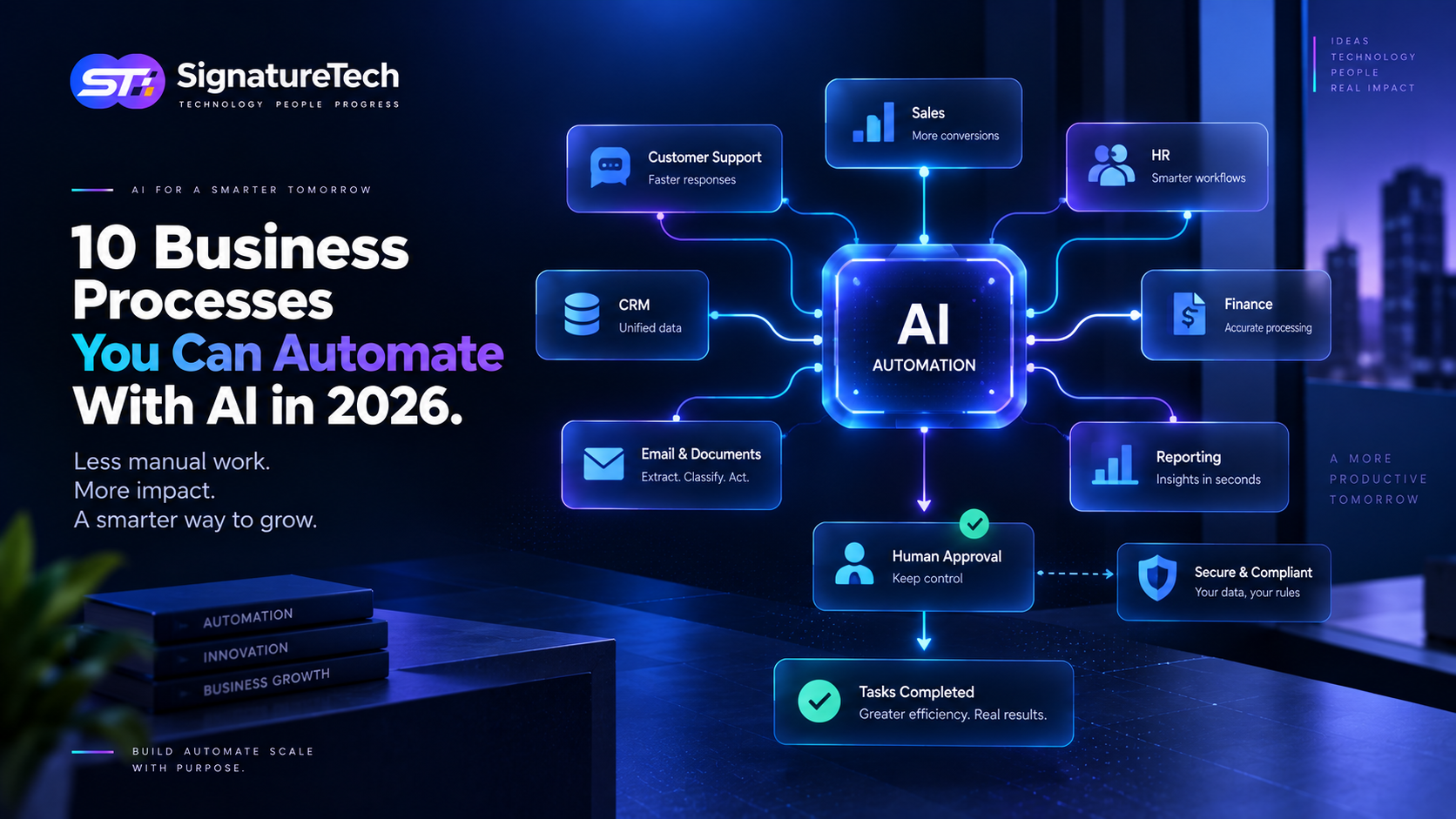
AI agents can potentially automate repetitive workflows, assist employees, improve customer support, analyze business information, and become an intelligent layer inside SaaS and enterprise applications.
But implementing an AI agent successfully is not simply about connecting an LLM to an API. Businesses need to consider workflows, permissions, data, security, reliability, monitoring, and human oversight.
Let's look at where AI agents can create real business value.
What Is an AI Agent?
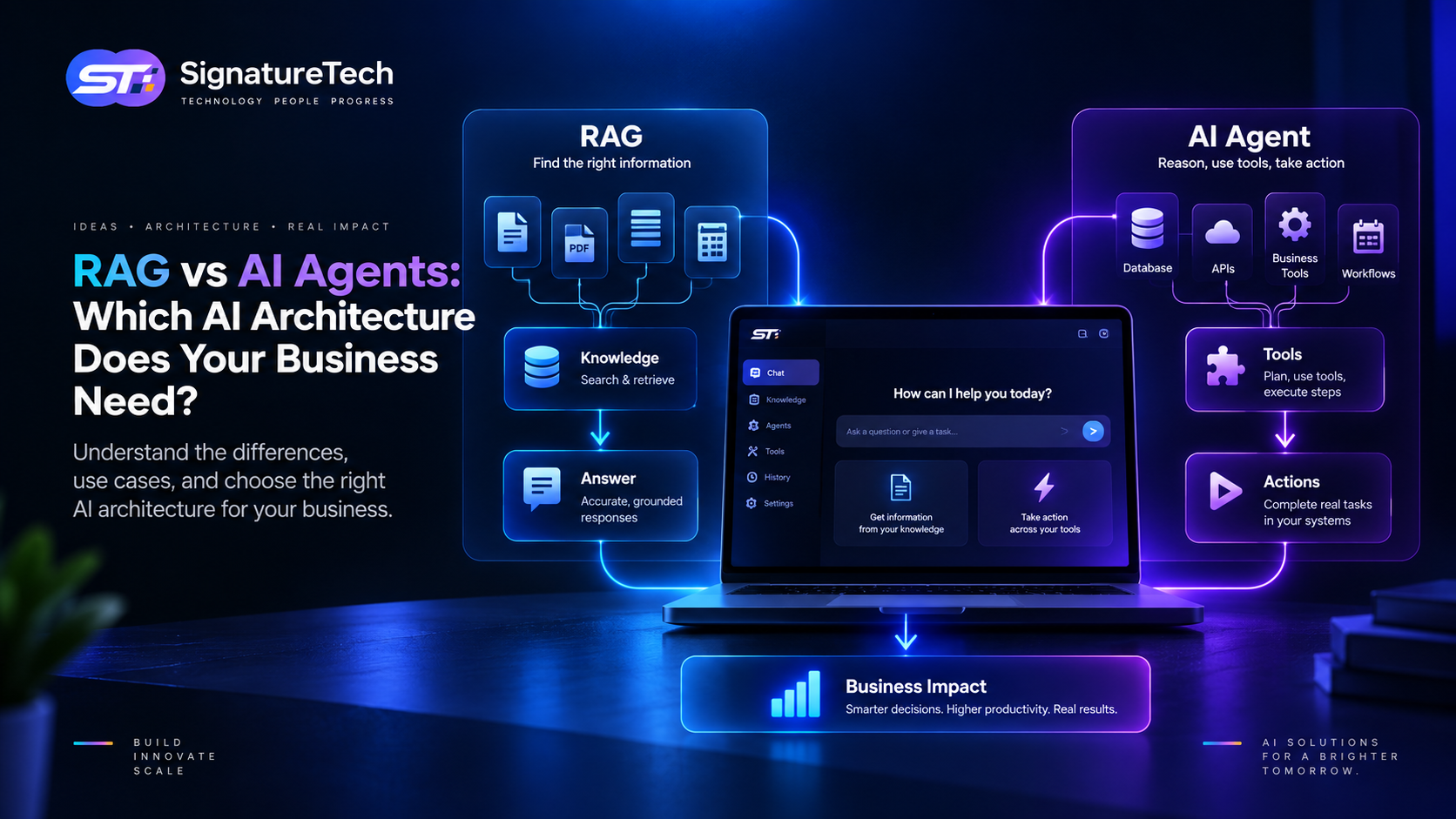
A traditional AI chatbot generally waits for a user to ask a question and then generates a response.
An AI agent can go several steps further.
An agent can:
- Understand a goal.
- Break the goal into smaller tasks.
- Retrieve relevant information.
- Decide which tools it needs.
- Execute actions through APIs or software.
- Evaluate the results.
- Continue working until the task is completed or requires human intervention.
For example, imagine a customer asks:
"I want to reschedule my appointment to Friday afternoon."
A basic chatbot might explain how to reschedule.
An AI agent could potentially:
- identify the customer's account,
- check available appointments,
- determine suitable time slots,
- update the booking,
- send a confirmation,
- update the CRM,
- and notify the appropriate team.
The difference is action rather than conversation.
Why AI Agents Matter for Businesses
Most businesses have hundreds of processes involving repetitive decisions and interactions.
Employees may spend significant amounts of time:
- Reading emails
- Entering data
- Updating CRM records
- Preparing reports
- Checking documents
- Responding to common customer requests
- Scheduling appointments
- Processing leads
- Monitoring systems
- Creating internal summaries
Not every task should be automated, but many contain predictable steps that AI agents can assist with.
The opportunity is to combine AI reasoning with existing business software.
Your CRM, ERP, HRMS, accounting system, support platform, database, and internal APIs can become tools available to an AI agent.
10 Practical AI Agent Use Cases
1. AI Customer Support Agent
Customer support is one of the most obvious applications.
An AI agent can potentially:
- Understand customer questions
- Search a knowledge base
- Check account information
- Look up order status
- Create support tickets
- Escalate complex issues
- Follow up with customers
Instead of handling every request manually, support teams can focus on cases that genuinely require human judgment.
The important part is connecting the agent to trusted business data and controlled actions rather than allowing it to operate purely from a general-purpose model.
2. AI Sales Agent
Sales teams often spend substantial time researching prospects and maintaining CRM records.
An AI sales agent could assist with:
- Lead qualification
- Company research
- CRM updates
- Follow-up reminders
- Meeting preparation
- Email drafting
- Opportunity summaries
- Sales pipeline analysis
For example, when a new lead enters the CRM, an agent could analyze the available information, classify the lead, prepare a summary for the salesperson, and recommend the next action.
The salesperson remains in control while AI handles the repetitive preparation.
3. AI Lead Qualification
Not every lead deserves the same amount of sales attention.
An AI agent can analyze information such as:
- Company size
- Industry
- Requirements
- Budget
- Previous interactions
- Product interest
- Engagement history
It can then score or categorize leads according to predefined business rules.
This can help sales teams prioritize opportunities instead of manually reviewing every incoming lead.
4. AI Employee Assistant
Internal employee workflows are another strong opportunity.
An AI agent connected to internal systems could help employees:
- Find company policies
- Request leave
- Check payroll information
- Generate reports
- Submit requests
- Search internal documentation
- Create tasks
- Summarize meetings
For an HRMS or business management platform, this could transform the traditional dashboard into a more conversational and action-oriented experience.
Instead of navigating through multiple screens, an employee might simply ask:
"How many leaves do I have remaining?"
Or:
"Create a leave request for next Monday."
The system can then retrieve the relevant information or initiate the appropriate workflow.
5. AI Finance Assistant
Finance teams deal with large amounts of structured information.
AI agents can assist with workflows such as:
- Invoice processing
- Expense categorization
- Payment follow-ups
- Financial summaries
- Transaction analysis
- Budget monitoring
- Document extraction
For example, an agent could identify overdue invoices, summarize outstanding payments, and prepare a follow-up list for the finance team.
Financial actions should still have appropriate approval and authorization controls.
6. AI Reporting Agent
Business leaders frequently need answers from operational data.
Traditional reporting often requires someone to:
- Export data.
- Clean it.
- Create queries.
- Build charts.
- Interpret the results.
- Prepare a report.
An AI reporting agent can potentially simplify this workflow.
A manager could ask:
"Which products generated the most revenue last month?"
The system could retrieve the relevant data, perform the analysis, generate the result, and explain the key findings.
This is particularly powerful when AI is connected to structured databases and business intelligence systems.
7. AI Document Processing
Businesses process contracts, invoices, applications, forms, purchase orders, resumes, and many other documents.
AI agents can help automate workflows around these documents.
For example:
Document received → Extract information → Validate information → Compare against business rules → Update database → Request approval
This is more valuable than simply extracting text because the AI becomes part of the complete workflow.
8. AI Development Assistant
AI agents can also work inside software engineering workflows.
They can assist with:
- Code analysis
- Test generation
- Documentation
- Bug investigation
- Log analysis
- Pull request preparation
- Dependency analysis
- Refactoring suggestions
However, professional software development still requires engineering judgment.
AI-generated code needs review, testing, security checks, and appropriate architectural decisions.
The goal should be to increase developer productivity, not remove engineering discipline.
9. AI Operations Agent
AI agents can assist DevOps and IT teams by monitoring operational information.
An operations agent could analyze:
- Application logs
- Server metrics
- Error reports
- Deployment history
- Infrastructure alerts
It might identify unusual behavior and recommend an action.
In carefully controlled environments, agents can also execute predefined remediation workflows.
However, production infrastructure requires strict permissions and safeguards. An AI agent should not receive unrestricted access to critical systems.
10. AI Personalization Agent
AI agents can make digital products more adaptive.
For example, a SaaS platform could understand how a customer uses the product and recommend:
- Features
- Workflows
- Reports
- Automations
- Next actions
Instead of presenting every customer with exactly the same experience, the product can become more intelligent based on the user's context and goals.
AI Agents vs Traditional Automation
It is important to understand that AI agents are not automatically better than traditional automation.
Consider a simple workflow:
When an invoice is created → Send an email.
A normal automation rule is usually better.
It is predictable, inexpensive, fast, and easy to test.
Now consider:
Review the customer's account, understand why payment is overdue, determine the appropriate follow-up message, check previous communication, and prepare the next action.
This type of workflow may benefit from AI.
A useful rule is:
Use traditional automation for deterministic workflows. Use AI when interpretation, reasoning, or unstructured information is involved.
The strongest business systems often combine both.
What Businesses Need Before Building an AI Agent
AI agents require more than an AI model.
A production-ready implementation typically needs several components.
1. AI Model
The underlying language or multimodal model provides reasoning and generation capabilities.
2. Business Data
The agent needs access to reliable information through databases, APIs, knowledge bases, or other controlled sources.
3. Tools
Tools allow the agent to perform actions such as:
- Create a ticket
- Search a database
- Update a CRM
- Send a notification
- Generate a report
- Call an API
4. Permissions
The system needs to define exactly what the agent can and cannot do.
5. Guardrails
Guardrails help prevent inappropriate actions, incorrect outputs, and unauthorized access.
6. Monitoring
Businesses need visibility into:
- What the agent did
- Which tools it used
- What decisions it made
- Which errors occurred
- How much the workflow costs
7. Human Oversight
High-impact decisions should often require human approval.
The objective should not be "remove humans from the process."
The objective should be:
"Let humans focus on decisions that actually require humans."
Common Mistakes When Implementing AI Agents
Building an Agent Because AI Is Trending
Not every workflow needs an AI agent.
Start with a real business problem rather than the technology.
Giving Agents Too Much Access
An agent with unrestricted database, financial, or infrastructure access creates unnecessary risk.
Use the principle of least privilege.
Ignoring Data Quality
An intelligent system working with inaccurate business data will still produce unreliable outcomes.
Good AI starts with good data.
Skipping Monitoring
Businesses need to know what their AI systems are doing.
Agent actions should be observable and auditable.
Automating High-Risk Decisions Too Early
Some decisions require human approval.
Start with lower-risk workflows and gradually increase autonomy as reliability improves.
How to Start With AI Agents
Businesses don't need to automate their entire organization on day one.
A better approach is incremental.
Step 1 — Identify Repetitive Work
Find workflows that consume significant employee time.
Step 2 — Measure the Current Process
Understand how long the process takes, how often errors occur, and what it costs.
Step 3 — Identify the AI Opportunity
Determine whether the workflow actually requires AI reasoning.
Step 4 — Build a Small Proof of Concept
Start with one workflow instead of building a massive AI platform.
Step 5 — Add Controlled Integrations
Connect the agent to only the systems and tools it actually needs.
Step 6 — Add Human Approval
Keep humans involved where decisions have significant business impact.
Step 7 — Measure Results
Track metrics such as:
- Time saved
- Cost per task
- Accuracy
- Completion rate
- Escalation rate
- Customer satisfaction
Step 8 — Expand Gradually
Once one workflow is reliable, extend the architecture to additional processes.
The Future of Business Software Is More Intelligent
AI agents are changing the way businesses can think about software.
Traditional software generally waits for users to navigate through screens and perform actions.
The next generation of software can increasingly understand intent and help users complete tasks.
Instead of:
Login → Navigate → Search → Select → Update → Confirm
the experience could become:
"Prepare this month's sales report and send it to the management team."
The software handles the workflow while the user remains responsible for the objective and appropriate approvals.
This does not mean traditional interfaces will disappear. Instead, businesses will likely combine interfaces, automation, APIs, and AI agents into more intelligent systems.
Final Thoughts
AI agents represent an important evolution in business automation.
But the biggest opportunity isn't simply building an AI agent.
It is identifying where intelligent automation can produce measurable business value.
Businesses should start with workflows that are repetitive, data-rich, measurable, and relatively low-risk. From there, they can introduce AI gradually, integrate it with existing systems, establish security controls, and increase autonomy as reliability improves.
For companies building new digital products, this creates another important question:
Should AI be added as a feature, or should AI become part of the product's core workflow?
The answer depends on the product and the business problem.
At SignatureTech, we approach AI as part of the broader product engineering process—combining modern software architecture, APIs, automation, data, and AI to build practical digital products that solve real business problems.
AI should not be implemented simply because it is possible. It should be implemented because it makes the product or business meaningfully better.